From voice input to voice workflow: How Voice AI has evolved.

The customer meeting is over, and your next appointment is in 20 minutes. In theory, this is the perfect moment to write the visit report: the details are still fresh, and you'd have it off your plate. In practice, 20 minutes is rarely enough for a complete report. So you jot down a quick note for later. "Later" turns into "when I get a chance," and the important details slowly fade.
What if you could simply dictate your visit report in those few minutes? Not as a voice memo someone has to transcribe later, but as a structured report that's available in your CRM right away.
That's where Voice AI in VisitReport comes in. What started in the beta as a way to capture visit reports by voice has since grown into an end-to-end voice workflow: the voice assistant guides users through complex, branching questionnaires, asks targeted follow-up questions based on their answers, responds to voice commands, and supports 25 languages.
Voice AI knows your report, not just your words.
A visit report in VisitReport isn't a blank text field. It's built on a predefined questionnaire that gives every part of a customer conversation its own place: the reason for the visit, products discussed, the competitive landscape, customer needs, and next steps.
That's what sets Voice AI apart from standard transcription. A general-purpose voice tool can turn speech into text or summarize it. Voice AI instead follows the structure of your configured visit report and maps what you say to the right questions and fields.
Take a sentence like "The customer wants to tackle this by Q2 at the latest, but needs to talk to purchasing first." That one sentence holds three pieces of structured information: a timeframe, a next step, and the department involved.
So what you end up with isn't just a transcript. It's a completed report that you can review, add to if needed, and finalize. From there, the data is available in your CRM for further processing.
What's actually changed since the beta.
Since the beta, we've refined Voice AI based on real-world use and user feedback. The biggest changes are in how it guides conversations, handles more complex questionnaires, supports hands-free operation, and serves international teams.
“Voice AI wasn't just dreamed up at a desk. It took shape in conversations with the customers who use it every day. Every bit of feedback from the testing phase helped shape the product. The result is a tool that makes field sales noticeably easier.”

What's new since the beta
1. More natural conversations.
Questions, follow-ups, and transitions now flow together more smoothly, so the conversation feels less like filling out a form. Voice output has improved too, which matters when users are talking to an app for several minutes at a time.
2. Conversations that adapt.
A visit report is rarely just a fixed sequence of questions. Depending on how the customer conversation went, different information matters.
That's why questionnaires can include conditional logic. For example, if a sales rep says the customer is interested in a particular product, the voice assistant asks follow-up questions about the quantity needed or a possible delivery date. If there's no interest, it skips those questions automatically.
Voice AI walks users through the report step by step, captures their spoken answers, and maps each one to the right question and field in VisitReport.
3. 25 languages.
Voice AI supports 25 languages and detects the spoken language automatically.
That's especially useful for international field sales teams. One rep might dictate in Italian, a colleague in French, and both reports land in the same VisitReport structure. Everyone documents in their own language, and the report structure stays consistent.
4. Voice commands for hands-free operation.
If you're capturing an entire report by voice, you shouldn't have to tap the screen to move to the next step.
That's why you can control key actions by voice. Just say what you want to do next. There are no set phrases or exact commands to memorize: Voice AI figures out from context which action you mean.
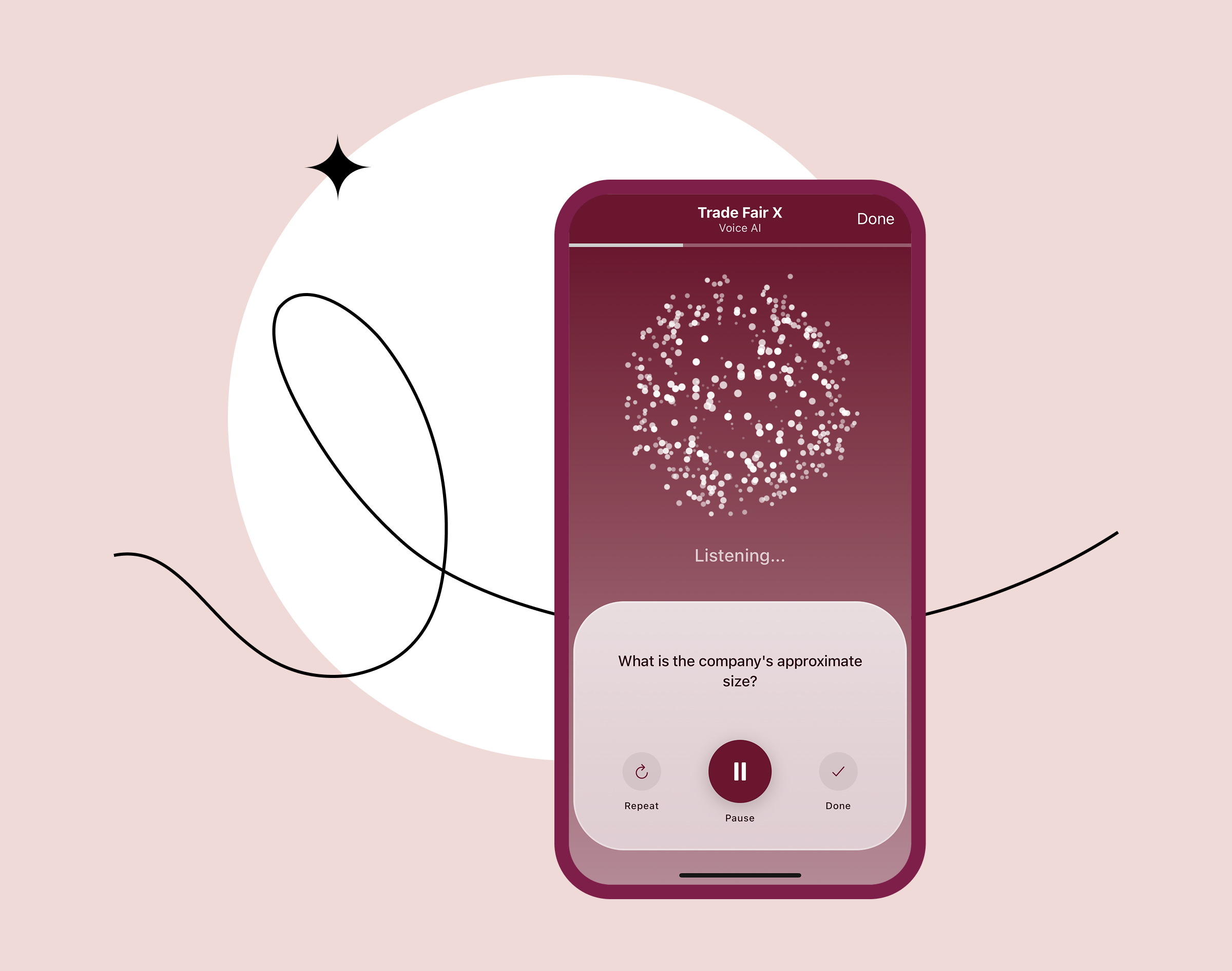
Voice AI in Hands-Free Mode
Typical actions include:
- Complete report: finishes the visit report and sends it to your connected CRM.
- Repeat question: reads the current question aloud again.
- List answer options: reads the available answers aloud for multiple-choice questions.
- Add note: adds a free-text note to the report.
- Cancel report: stops voice capture without completing the report.
Want to see Voice AI in action?
In our webinar "Voice AI: The meeting documentation of the future" we show how Voice AI has evolved from the very first prototype to today, and what sets Voice AI apart from classic AI transcription services.
As a special sneak peek, you also get an early look at our new Hands-Free Mode.
Recording from 15/10/2026 | approx. 45 minutes
The German live webinar is over, but you can access the recording at any time. Simply sign-in and start watching right away.
Would you rather try Voice AI for yourself? Voice AI is included in every free Trial period of VisitReport and is already activated in the sample Event.
In practice:
A day in field sales with VisitReport and Voice AI.
In the morning, before the first appointment. The day's schedule is ready in the app: appointments from Outlook or the route planner, plus contact and account data from the CRM. Everything needed for the customer meeting is right at hand.
During the customer meeting. The rep can focus on the conversation, with no need to fill out the visit report at the same time.
Right afterward. Instead of putting it off, the rep dictates the report on the spot. Voice AI guides them through the relevant questions, accounts for conditional logic in the questionnaire, and follows up if information is missing. Then the rep reviews the report, adds to it if needed, and finalizes it.
In inside sales. The information is already in the CRM, so the inside sales team can pick it up right away, for example to prepare a quote or kick off next steps.
In the long run. Consistent documentation builds a reliable data foundation for the rest of the sales process and every process downstream.
Frequently asked questions about Voice AI.
Any voice AI for sales teams raises questions about data privacy and control.
You can review and correct the captured information before finalizing the report. The AI assists with documentation, but the user stays in control of the final report.
Companies can add their own terms and names, so the assistant can work with their product names, abbreviations, and technical terms instead of relying solely on a general vocabulary.
Voice AI responds. In Hands-Free Mode, the assistant reads the questions aloud, asks follow-up questions if information is missing, and, on request, lists the available answer options. While your input is being processed, you get brief audible feedback. If it stays quiet for longer, Voice AI will check in again.
We can't provide legal advice. However, Hands-Free Mode is designed so you can use it without looking at the display: Voice AI reads the questions aloud, and you give answers and commands by voice. You start the report before you set off.
For completing the report, yes. Voice AI will keep asking about mandatory questions until you provide an answer. If you can't answer a question, you can skip it by voice with phrases like “I don't know” or “A follow-up appointment hasn't been scheduled yet.” You can end the conversation with Voice AI even if mandatory questions are still unanswered. However, you can only complete the report once all mandatory questions have been answered. You can add those answers later manually or again via Voice AI.
Yes, via workflows with DataAgents. You can configure the export so that the visit report creates the CRM objects your sales team works with, such as opportunities, tasks, or visit entities. DataAgents is a separate module.
Yes. Voice AI uses the smartphone's microphone, which already filters out background noise. Companies also use Voice AI at trade shows to document conversations directly at the booth.
No. Voice AI is used for documentation after the meeting. The sales rep dictates the visit report; the conversation with the customer itself is not recorded.
No. snapAddy does not use customer data to train or further develop Voice AI. To ensure that product names, competitors, or technical terms are still reliably recognized, you can add them as specialized vocabulary. Terms that already appear in the questionnaire are automatically taken into account by Voice AI.
Ja. Voice AI is inbegrepen in elke gratis test van VisitReport. Uw testaccount start met een voorbeeld-event waarin Voice AI al is geactiveerd. U kunt dus direct na de registratie een bezoekverslag inspreken.