No-code, low-code, full-code: Which approach suits which team?
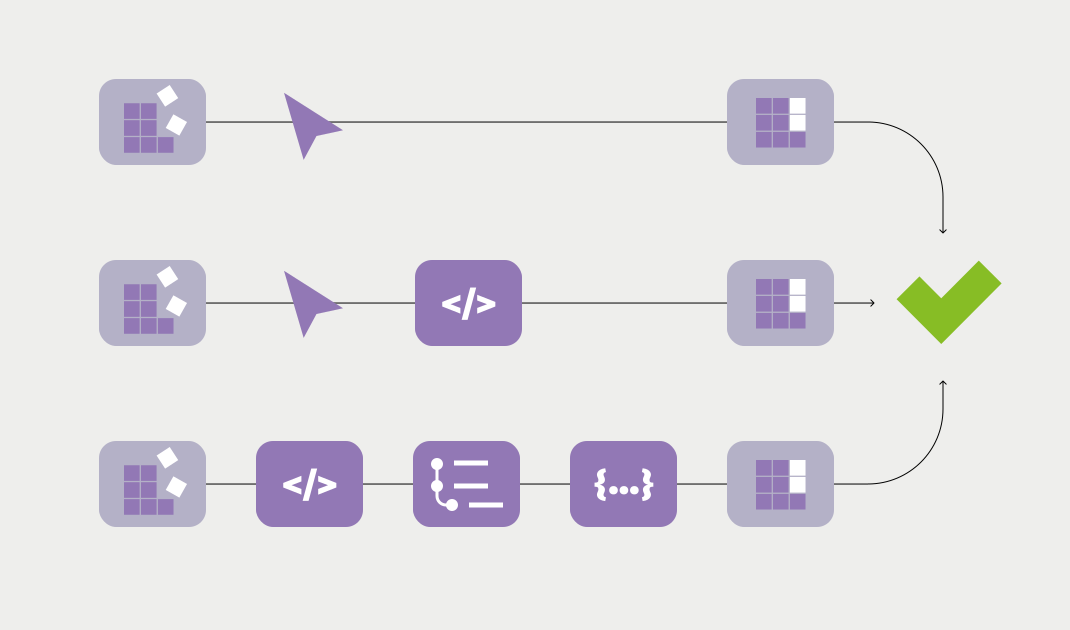
Three terms that come up in almost every conversation about automation. And three terms most people have a rough sense of without being able to draw a clear line between them. In practice, that leads to poor decisions: teams pick a tool that is too complex for their situation. Or one that hits its limits after three months.
And yet the logic behind the three approaches isn't complicated.
The key points at a glance:
- No-code tools let you automate without a single line of code, using drag and drop with ready-made building blocks.
- Low-code combines visual interfaces with the option to add code where needed. More flexibility, and slightly more technical understanding required.
- Full-code is for developers who need maximum control and don't want to compromise on logic.
- According to Gartner, 70 percent of all new enterprise applications are built with no-code or low-code.
- The choice depends less on your budget than on who looks after the process and how often it changes.
No-code: Automation without a technical background.
No-code tools are built for people who aren't developers and have no intention of becoming one. The interface works by drag and drop. Processes are clicked together visually rather than written. You select what a tool should do instead of programming it.
That works well for self-contained, clearly defined processes: when a form is submitted, create a CRM record. When a deal is won, send a Slack message. For sales and marketing teams that need results fast, no-code is often the most direct route.
The limit: complex logic, exception handling or unusual system combinations eventually run up against what the ready-made building blocks can do. Past that point, no-code stops being enough.
Typical no-code tools: Zapier, Make, HubSpot Workflows.
Low-code: Flexibility for technically skilled teams.
Low-code platforms follow the same visual logic as no-code, with one important addition: code can be inserted at certain points. Custom functions, more complex conditions, specific data transformations.
That sounds like a minor extension, but in practice it makes a big difference. Low-code is for teams that have a technically skilled ops or RevOps person, someone who isn't a full-time developer but can handle a bit of JavaScript or Python.
Gartner estimates that 70 percent of all new enterprise applications are built with no-code or low-code. And according to a recent market analysis, 50 percent of all new low-code buyers come from business departments rather than IT. The trend is clear: automation is becoming more decentralized.
Typical low-code tools: n8n, Microsoft Power Automate, Retool.
Full-code: Maximum control for developers.
Full-code means everything gets written and nothing gets clicked together. That gives you maximum flexibility, maximum control and the ability to build any process you can think of.
The price is time. And dependency. Once a process is built in full-code, every change needs a developer. For many companies that isn't a problem, as long as the IT capacity is there. For sales and ops teams that want to iterate quickly, it's often a bottleneck.
Full-code makes sense when a process is highly complex, has very high performance requirements or has to be deeply integrated into existing systems. For most automation tasks in day-to-day B2B work, it's more than you need.
How to make the right choice.
The decision comes down to two questions. First: who looks after the process in the long run? A sales ops person without a coding background needs no-code. A RevOps team with technical understanding gets further with low-code. A development team can make good use of full-code.
Second: how often does the process change? The more frequently adjustments are needed, the more important it is to have an interface someone can change without filing a developer ticket.
Specialized tools like snapAddy DataAgents follow a similar logic: they are built so that sales and ops teams can configure the settings that matter themselves, without waiting for IT resources. Which fields get enriched, which sources are used, which workflows run. All of that stays with the teams working with it.
How snapAddy DataAgents delivers automation for sales and ops teams without depending on IT: