Part 1: Why Sales Teams are Suffocating under Manual Data Maintenance.

Sales teams spend a significant share of their working hours not on selling, but on maintaining, transferring and correcting data. How it got this far and why so little is changing in most companies.
Ask any salesperson what they spend most of their time on and you will often get an honest answer: not on customers. Studies from recent years repeatedly show that sales teams spend only about one third of their working hours actually selling. The rest is swallowed by admin work, internal coordination and data maintenance. Data maintenance in particular has turned into a silent productivity killer that many companies simply accept.
The problem itself is no mystery. You can pinpoint it very precisely at several moments in a typical sales day.
A typical sales day is dominated by data work.
A new lead comes in via the Web form. Before anyone speaks to the prospect, someone has to research: Is the company name correct? What is the legal form? Who is the contact person at which level? Does the contact already exist in the CRM, or is someone about to create the third duplicate? Is the company part of a group that is already a customer?
At the trade show, business cards are collected. Days later, the follow-up work begins. Cards are typed in, notes are deciphered, conversations are reconstructed from memory. It often takes weeks before a lead lands in the CRM and can be worked on. By that time, the prospect’s attention is long gone.
Things are no better in existing business. Addresses become outdated, contact persons change, phone numbers are no longer valid. If you want to keep your data stock clean, you either need a level of discipline that is rare in day-to-day operations, or tools that take over this work automatically. Without either, the data basis slowly but surely spins out of control.
What poor data quality really costs.
The costs of manual data work are hidden twice over. First, they do not show up as an item on an invoice, but as lost sales hours. Second, follow-up costs only appear with a delay. An outdated record does not cost you money as long as nobody touches it. But as soon as you base a campaign on it, send an offer to the wrong address or schedule a service appointment with the wrong contact person, the consequences add up.
In concrete terms, this means: salespeople with an hourly rate of 80 to 150 euros spend several hours a week on tasks that a well-built automation could handle in seconds. In a team of ten people, this quickly adds up to six-figure amounts per year that flow into data maintenance instead of revenue.
On top of that come the costs you cannot directly measure: leads that go cold because the follow-up takes too long. Duplicate work because the same contact is handled by two people. Forecast errors because the underlying data is wrong. Customer frustration because information is not where it should be.
The underestimated hurdle: legacy systems in the midmarket.
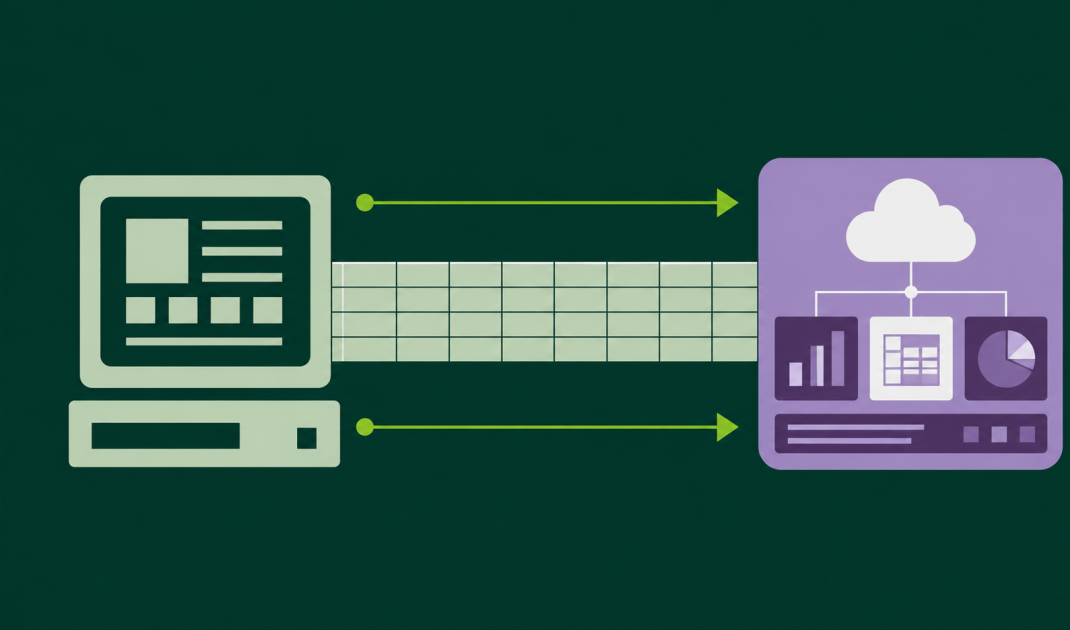
In discussions about automation, people like to assume that all relevant systems offer modern interfaces. The reality in the German midmarket looks very different. Many companies still work with ERP solutions that have been in use for twenty years. With industry software whose vendor was acquired long ago. With homegrown databases that nobody wants to touch anymore because they work.
These systems often provide no REST API, no webhooks and no modern integration options. If you want to use automation platforms that rely solely on API connections, you will fail here. The result: the very data flows that generate the most manual work cannot be automated, because the source system does not allow for a modern connection.
This is exactly where DataAgents comes in. The platform supports not only modern API integrations, but also classic methods such as Excel and CSV import and export. This allows you to integrate legacy systems that do not offer a modern interface themselves. A nightly export from the ERP is automatically processed, enriched, checked for duplicates and passed on to the modern CRM. While this may sound like a workaround, in practice it is precisely the missing link many midmarket companies need to connect their grown system landscape to modern sales processes without first launching a six-figure IT modernization program.
Why so little changes.
If the problem is so clear, why has it not been solved across the board? In practice, three reasons keep coming up.
First, data maintenance is accepted as a necessary evil. Everyone is used to typing in the week’s business cards on Friday afternoon. Established routines are rarely questioned.
Second, automation is quickly classified as an IT project. When you look at generic workflow platforms, you first see an empty interface prompting you to build your own logic. That overwhelms most sales leaders, so they hand the topic over to IT. IT, however, has different priorities and no deep sales expertise. The project fizzles out.
Third, the costs of manual work are underestimated because they are distributed and invisible. Nobody issues an invoice for the hours lost. Nobody can prove which lead did not close because the follow-up came too late. The problem is real, but it does not scream.
The way out: structured workflows.
The good news: the solution is much closer than most companies assume. Modern workflow platforms for sales can take over many of these tasks. Lead enrichment, duplicate checks, data handover between systems, processing of trade show contacts, maintenance of existing datasets. All of this can now be set up to run without daily manual input.
With DataAgents, we at snapAddy have built a platform designed exactly for this. It is not aimed at IT departments, but at sales and marketing leaders who want to take control of their own processes. Ready-made templates for typical sales workflows make it easy to get started, while every workflow can still be tailored to your specific requirements. Integrations with common CRM systems, Web forms and even classic data sources such as Excel are available out of the box.
In the second part of this series, we will take a closer look at what a workflow automation platform actually is, what it is made of and how it differs from a simple integration. If you have never worked with such a platform before, that article will give you the overview you need to put the rest of this series into context.
Part 2: What a workflow automation platform really is and what it is made of
Part 3: Five Sales Workflows Every B2B Company Should Automate.
Part 4: Sales Automation Does not Belong in the IT Department.
Part 5: What Modern Sales Automation Looks Like in Practice.